3D Body Measurement Software

What’s New in 3D Measure Up 2025 (Version 8.10)
3D MeasureUp, Body Measurement Application, Tech Blog, Tech News

What’s New in 3D Measure Up 2025 (Version 8.10)

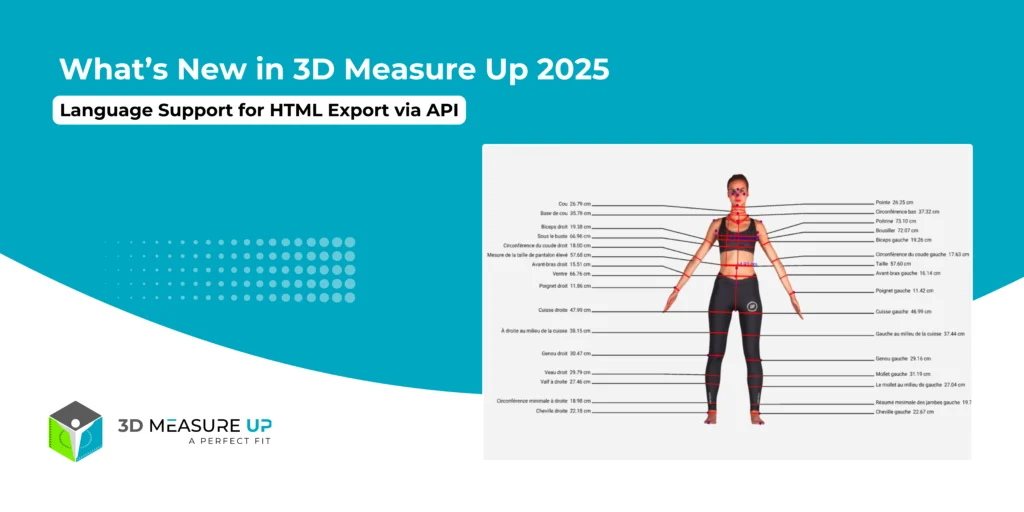
What’s New in 3D Measure Up 2025 (Version 8.10) The 2025 release of 3D Measure Up (Version 8.10) introduces major enhancements focused on enterprise security, deployment flexibility, and global accessibility. This update empowers organizations to run 3D Measure Up in highly controlled environments while delivering localized measurement outputs for international users. Let’s take a closer look at what’s new. 1. On-Premise VM (Virtual Machine) Edition The new On-Premise VM Edition allows organizations to deploy and run the full 3D Measure Up platform entirely within their own infrastructure. This is a game-changer for enterprises with strict security, compliance, or performance requirements. 1. Complete Data Privacy All processing, including 3D files, measurement calculations, and exports, takes place entirely inside your environment. No data is transmitted outside your secure network, ensuring full ownership and compliance with internal and regulatory policies. 2. Compute & Storage With the VM Edition, you’re in complete control of your resources: Use your own CPU and GPU Leverage your existing storage systems Apply your own network rules and access policies This flexibility makes it easy to integrate 3D Measure Up into your existing IT ecosystem. 3. Offline Operation After initial activation, 3D Measure Up can operate without continuous internet access, making it ideal for: High-security environments Air-gapped networks Enterprises with strict compliance requirements 4. Consistent & Predictable Performance Since all processing happens locally, performance is stable and predictable, independent of cloud availability or network speed. 5. Enterprise-Ready Isolation Each VM runs as an isolated environment, making the solution: Easy to deploy Easy to maintain Immune to changes in cloud infrastructure This ensures long-term reliability and operational stability. This upgrade makes 3D Measure Up more flexible, more secure, and more globally accessible than ever before. Ready to put it to work in your environment? Let’s talk! 2. Language Support for HTML Export via API To better support global teams and international users, HTML export via API now supports French and Spanish, in addition to English. When calling the API, simply specify the desired output language in the request body: "language": "French" // Supported values: "English," "Spanish," "French" This enhancement facilitates the delivery of localized measurement reports, enhancing the user experience across various regions. Want to explore the technical side or start integrating today? Learn how to use the 3D Measure Up API here: https://3dmeasureup.ai/resources/3d-measure-up-api/ Built for the Future of 3D Body Measurement With Version 8.10, 3D Measure Up continues to evolve as a robust, enterprise-ready solution for: 3D body measurements Virtual fitting and try-on Body shape analysis Personalized fashion and smart shopping experiences Whether you’re a fashion brand, technology provider, or enterprise organization, this release gives you the security, control, and scalability you need. Do you have any questions in mind? Feel free to connect with our experts by emailing us at 3dmeasureup@prototechsolutions.com or calling us at +1 (747) 297-5160 to find the perfect solutions for your business. Take our FREE trial today and learn how our AI-powered body measurement technology can boost your business revenue and customer satisfaction. Start Your FREE Trial Today
What's New in 3D Measure Up 2025 Version 8.2
3D MeasureUp, Body Measurement Application, Tech Blog, Tech News

What’s New in 3D Measure Up 2025: Version 8.3

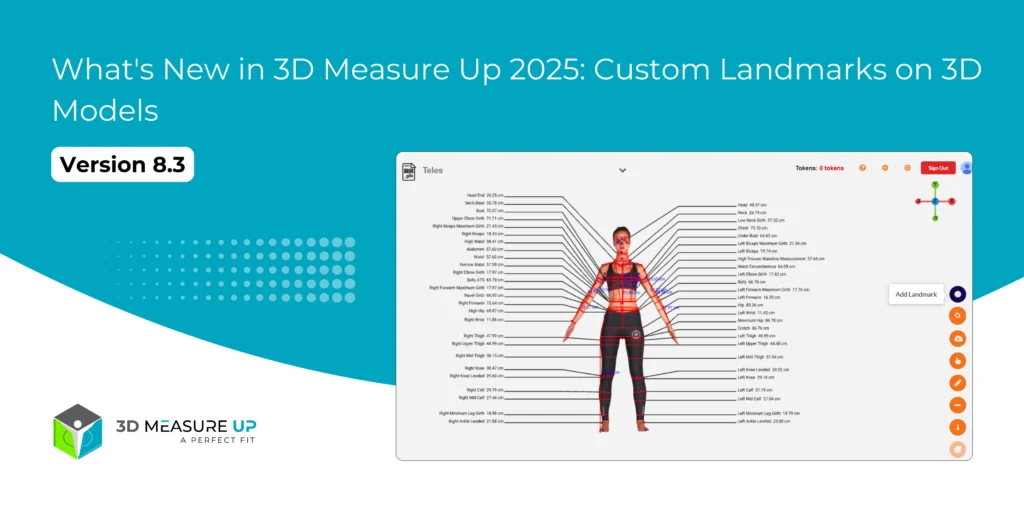
What's New in 3D Measure Up 2025: Version 8.3 In today’s fast-paced digital world, precision and flexibility are essential, especially when it comes to 3D body measurement. That’s why we’re thrilled to announce the latest update to our 3D Measure Up software, Version 8.3, released on May 2025!. Packed with smart upgrades and thoughtful enhancements, this release is designed to give users more control, improved accuracy, and a seamless experience across industries like fashion, fitness, healthcare, and digital human modeling. With Version 8.3, users can now add custom landmarks directly to their 3D models, giving them better flexibility and control over how and where measurements are taken. This is perfect for tailoring specific body features or annotations based on individual project needs. Whether you’re working in apparel design, virtual fitting, or ergonomic research, these custom landmarks make your workflow more dynamic and efficient.  Added powerful new features to make your measurement process faster, easier, and more accurate than ever. Let’s take a look at what’s fresh in this version. New Features 1. Add Custom Landmarks on 3D Models Now you have even more control! You can add custom landmarks directly on your 3D models and move them around to get better accuracy and flexibility. Whether you're measuring or just adding notes, this feature gives you full freedom. 2. Choose Your Preferred Measurement Units via API Using our API? Great news! You can now get measurements in the unit you prefer, whether it’s centimeters (cm), meters (m), millimeters (mm), or inches (in). Just set the "measurementUnit" parameter and get results your way. New Measurement Added Outer Shoulder Girth We’ve added a brand new measurement: Outer Shoulder Girth. 3DMU Measurement ID: 192 Definition: The girth around the shoulders, measured midway between the Shoulder Point and the Armpit Back Fold Point. This new measurement helps capture body proportions more completely—great for tailoring, fitness, and more! Improvements Better Thigh Girth Measurement for Obese Scans We listened to your feedback! For users working with scans of people with extreme obesity, we’ve improved the accuracy of the thigh girth calculation. No more overshooting due to fused scan areas, just reliable, precise results. Conclusion With Version 8.3, 3D Measure Up is smarter, more flexible, and even more accurate. From custom landmarks to improved API options and enhanced measurement accuracy, these updates are designed to save you time and deliver better results. Whether you’re a developer, designer, or health professional, these new features are here to make your 3D measurement work easier and more effective. We’re committed to helping you measure with confidence. This update is part of our ongoing mission to make 3D Measure Up smarter, faster, and easier to use. Stay tuned for more improvements coming soon! Have questions or feedback? Email us at 3dmeasureup@prototechsolutions.com or call us at +1 (747) 297-5160, we’d love to hear from you.
Comparison of 3D Body Measurement Tools
3D MeasureUp, Tech Blog, Tech News, Tutorial Blogs

Comparison of 3D Body Measurement Extraction Tools

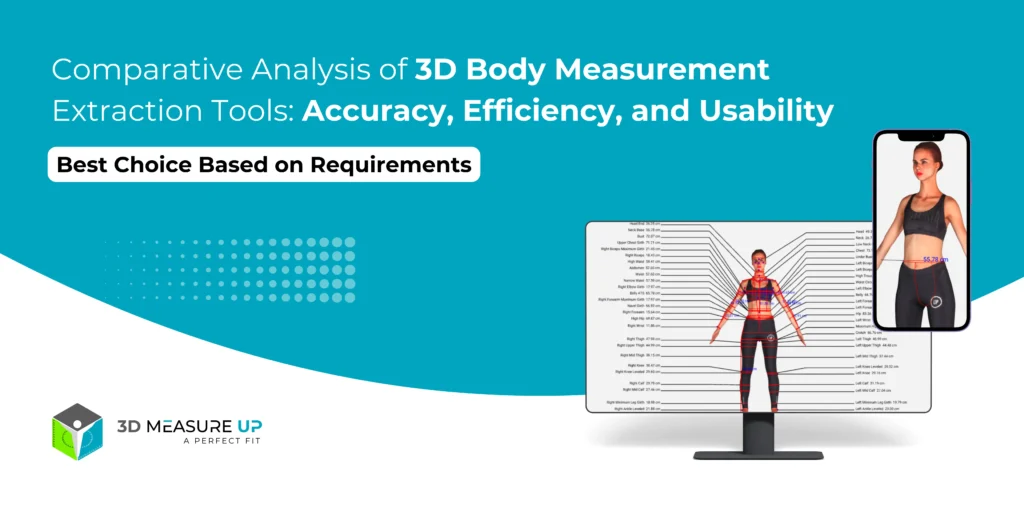
Comparison of 3D Body Measurement Extraction Tools Extracting accurate human body measurements from 3D scans is crucial for various industries, such as fashion, healthcare, fitness, and engineering. This report compares different tools based on their accuracy, reliability, ease of use, export capabilities, and supported measurement types. Each tool has unique strengths depending on the intended application, making them versatile solutions across industries. 1. Feature Comparison Table Software Accuracy Reliability Ease of Use Export Capabilities Measurement Types Geomagic Control X (Paid) ⭐⭐⭐⭐⭐ ±0.01mm-0.1mm ⭐⭐⭐⭐⭐ (Industrial-grade) ⭐⭐⭐ (Steep learning curve) OBJ, STL, IGES, STEP, CSV, PDF, DXF Point-to-point, circumferences, volume, angles, surface area, GD&T Artec Studio (Paid) ⭐⭐⭐⭐ ±0.05mm-0.1mm ⭐⭐⭐⭐⭐ (Stable with Artec scanners) ⭐⭐⭐⭐ (User-friendly for Artec users) OBJ, PLY, STL, WRL, CSV, DXF Landmark-based circumferences, length, cross-sections 3D Measure Up (Paid) ⭐⭐⭐ ±1mm-3mm ⭐⭐⭐⭐ (AI-based, automated) ⭐⭐⭐⭐⭐ (Easiest, fully automated) CSV, JSON, API for integration 150+ body measurements, circumferences, segment-wise dimensions Blender + Python (Trimesh/Open3D) (Free) ⭐⭐⭐⭐ (Customizable) ⭐⭐⭐ (Depends on script quality) ⭐⭐ (Requires coding) OBJ, PLY, STL, custom CSV exports Custom (any measurement can be scripted) MeshLab / Meshmixer (Free) ⭐⭐⭐ ±1mm-5mm ⭐⭐⭐ (Good for basic use) ⭐⭐⭐⭐ (Easy but manual) OBJ, PLY, STL, DXF Basic distance, circumference, angles 2. Detailed Feature Breakdown 1. Accuracy & Reliability Geomagic Control X → Most accurate (sub-mm precision). Best for medical, CAD, and engineering fields. Artec Studio → Very reliable but only for Artec scanner users. 3D Measure Up → Great for automated fashion/retail applications but not as precise. Blender + Python → Customizable accuracy (depends on scripting & scan quality). 2. Ease of Use Easiest: 3D Measure Up (Automated AI, no manual work). Moderate: Meshmixer/MeshLab (Simple UI but manual). Hardest: Blender + Python (Coding required). 3. Export Capabilities Best Export Support → Geomagic Control X & Artec Studio Supports CAD formats (IGES, STEP, DXF) PDF & CSV reports for documentation OBJ, STL, PLY for 3D modeling Basic Exports → 3D Measure Up, Blender, MeshLab CSV & JSON (for data-driven use) OBJ, STL (for 3D visualization) 4. Types of Measurements Available Most Comprehensive → 3D Measure Up (150+ measurements) Full-body (circumference, height, width, segment length) Automated key point detection Most Precise Industrial Use → Geomagic Control X Volume, cross-sections, surface areas GD&T (Geometric Dimensioning & Tolerancing) Fully Customizable → Blender + Python (Trimesh/Open3D) Any measurement possible (if scripted) Fully Customizable → Blender + Python (Trimesh/Open3D) Any measurement possible (if scripted) 3. Best Choice Based on Requirements Need This? Best Software Highest Accuracy (Sub-mm Precision) Geomagic Control X Best AI-based, Fastest Automation 3D Measure Up Best for Artec Scanner Users Artec Studio Custom Workflow, Free/Open-Source Blender + Python Basic, Manual, Free Tool MeshLab / Meshmixer Summary of Findings Choosing the best 3D body measurement extraction tool depends on your requirements for accuracy, automation, and ease of use: For the highest precision (engineering/medical use): Geomagic Control X For fast, automated, AI-driven measurements: 3D Measure Up For custom scripting & flexibility: Blender + Python (Trimesh/Open3D) For Artec scanner users: Artec Studio For simple, free manual measurements: MeshLab / Meshmixer If you need further guidance based on specific use cases, feel free to connect with our experts! Visit our website www.3dmeasureup.ai, email us at 3dmeasureup@prototechsolutions.com, or call us at +1 (747) 297-5160
Scroll to Top