
3DMU Webhooks

Turn 3D Body Scans into Actionable Measurement Intelligence — Instantly
3D MeasureUp, 3DMU Webhooks, Body Measurement Application, Tech News

Turn 3D Body Scans into Actionable Measurement Intelligence — Instantly

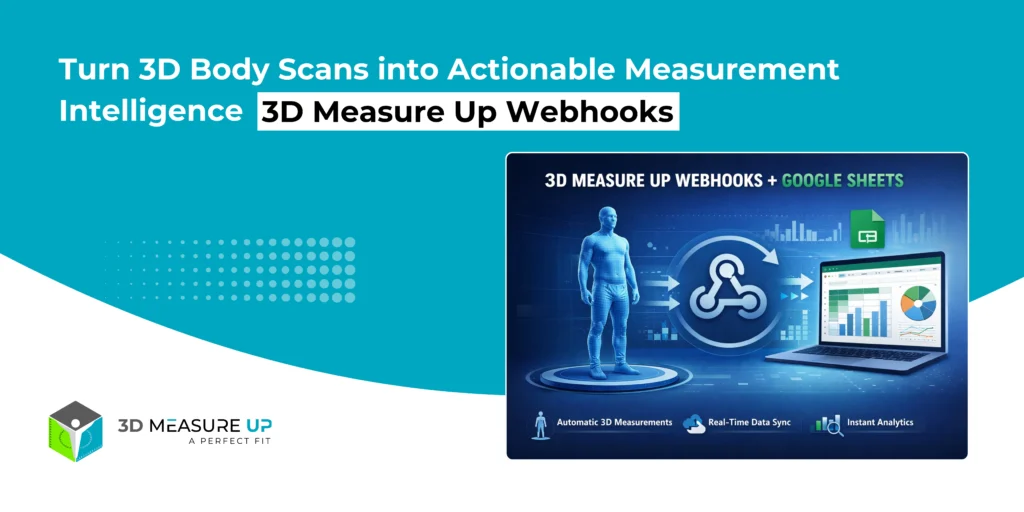
Turn 3D Body Scans into Actionable Measurement Intelligence — Instantly 3D Measure Up Webhooks: Real-World Business Workflows Using Google Sheets Capturing accurate 3D body measurements is only half the problem. The real challenge begins after the scan: How do teams access the data? How do non-technical users analyze it? How does it integrate into existing workflows without building custom software? 3D Measure Up Webhooks solve this problem instantly. With a simple webhook integration, 3D Measure Up can automatically push structured measurement data into Google Sheets, giving teams immediate visibility, analytics, and operational value without any backend development. Who Is This Integration For? This solution is designed for teams that want speed, simplicity, and insight—without infrastructure complexity. Apparel & fashion brands Retail operations teams QA & compliance teams Product & R&D analysts Healthcare & ergonomics professionals Startups and enterprises validating workflows If your team already uses Google Sheets for reporting, coordination, or analysis, this integration fits naturally into your workflow. What Business Problem Does This Solve? Most measurement systems fail after data capture. Common Challenges vs. Webhook Benefits Manual exports and CSV handling → Automatic data delivery Data trapped in proprietary systems → Open, accessible Sheets Inconsistent measurement formats → Normalized, analytics-ready structure Engineering dependency → No backend required Delayed insights → Real-time availability Result: Measurement data becomes usable the moment a scan is completed. What Happens When a Scan Completes? Each time 3D Measure Up generates measurements: A webhook event is triggered Measurement data is securely sent to your Google Apps Script endpoint Google Sheets automatically appends the data Teams can analyze, filter, and share instantly No polling. No downloads. No custom servers. Why Google Sheets? Google Sheets is more than a spreadsheet; it’s a collaboration and analytics layer. With 3D Measure Up Webhooks, Sheets becomes: A live measurement log A QA dashboard A reporting and audit tool A bridge to BI tools and ERP systems Designed for Scale: Clean, Analytics-Ready Data Instead of generating hundreds of columns per scan, 3D Measure Up follows an industry-standard tidy data approach: One row = one measurement This enables: Unlimited measurement expansion Easy pivot tables and charts Seamless BI exports Long-term maintainability This design choice is critical for real-world, scalable deployments. From 3D Scan to Measurement Intelligence End-User Applications Apparel & Fashion Centralized measurement repositories Pattern-maker-friendly exports Size consistency validation Reduced rework and returns Retail & Store Operations Store-wise measurement tracking Operator quality checks Scan volume and performance analytics Product & R&D Teams Population-level measurement analysis Sizing system validation Model and pose comparison Faster prototyping feedback loops Healthcare & Ergonomics Structured anthropometric datasets Longitudinal (before/after) tracking Easy clinician and researcher access QA, Audit & Compliance Timestamped measurement records Traceability to scan and model Exportable audit trails Reduced reliance on manual logs Why This Matters for Decision Makers This integration delivers measurable ROI: Faster insights (minutes, not weeks) Zero engineering dependency Immediate analytics Auditable and traceable data Faster rollout across teams It transforms 3D scanning from a technical capability into a business-ready system. Security & Control Built In Webhook endpoints are isolated and secure No direct access to Google Sheets is required URLs can be rotated at any time No exposure of internal systems This makes the solution suitable for both enterprise pilots and production workflows. When Should You Use a Backend Instead? Google Sheets is ideal for: Reporting Quality Assurance (QA) Analytics Prototyping Collaboration For very high data volumes, regulated environments, or long-term system-of-record storage, 3D Measure Up Webhooks can also integrate with custom backends, data lakes, BI pipelines, and ERP systems, using the same webhook mechanism. Read related: How to Integrate 3D Measure Up Webhooks with Google Sheets in Minutes Final Thoughts - The Bigger Picture 3D Measure Up Webhooks are not just an integration feature; they are an enablement layer. They allow organizations to: Start simple Prove value quickly Scale responsibly Integrate deeply when ready With 3D Measure Up Webhooks: Measurements flow automatically No backend development is required Data remains clean and scalable Teams gain immediate visibility Business value starts from day one Webhooks deliver the data. Google Sheets makes it usable. 3D Measure Up makes it valuable. If you have any questions, please contact us at 3dmeasureup@prototechsolutions.com
How to Integrate 3D Measure Up Webhooks with Google Sheets in Minutes
3D MeasureUp, 3DMU Webhooks, Body Measurement Application, Tech Blog, Tech News

How to Integrate 3D Measure Up Webhooks with Google Sheets in Minutes

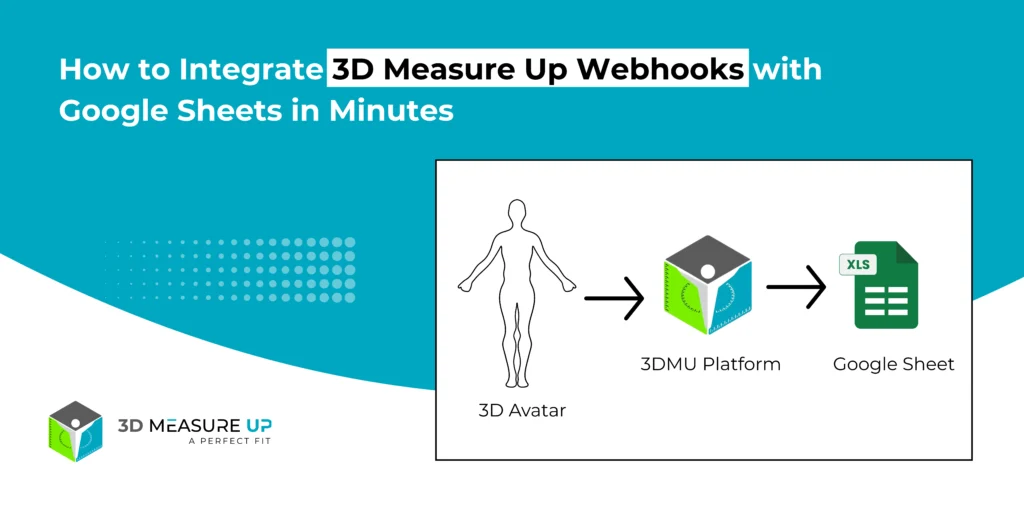
How to Integrate 3D Measure Up Webhooks with Google Sheets in Minutes Automatically Send 3D Measurement Data to Google Sheets Store, analyze, and share 3D measurement data effortlessly using Google Sheets. Automatically push measurement results from the 3D Measure Up platform to Google Sheets with 3D Measure Up Webhooks, eliminating the need for manual exports or backend server development. This guide explains: How the Google Sheets webhook integration works How to design the sheet structure correctly How to deploy the webhook endpoint Best practices for reliable and scalable data storage What This Integration Does Once the integration is active, every measurement generated in 3D Measure Up is sent automatically to Google Sheets. Here’s what happens behind the scenes: A measurement is created in the 3D Measure Up platform A webhook event is triggered Measurement data is sent to a Google Apps Script endpoint A new row is appended to your Google Sheet How the Webhook Flow Works 3D Measure Up Platform          ↓ (Webhook Event) Google Apps Script (Web App)          ↓ Google Sheet (Rows appended automatically) This lightweight architecture makes the integration fast, scalable, and easy to maintain. Recommended Google Sheet Structure (Important) To keep your data clean and scalable, 3D Measure Up recommends a normalized structure. One Row = One Measurement Instead of creating multiple columns per scan, each measurement is stored as its own row. Header Row (Row 1) Create these columns once: Measurement Name | Measurement Type | Value | Unit | Level | Model Name Example Rows Why This Structure Works Best Scales effortlessly as the measurement volume grows Works perfectly with filters, pivot tables, and charts Easy to export to BI and reporting tools Prevents column overflow and clutter Follows industry-standard “tidy data” practices Step 1: Create the Google Sheet Open Google Sheets Create a new spreadsheet Name it something like 3D Measure Up Measurements Add the header row listed above This sheet will act as your live measurement database. Step 2: Create the Webhook Endpoint Using Google Apps Script In the Google Sheet, go to: Extensions → Apps Script Remove any existing code Paste the following script: function doPost(e) { try { if (!e.postData || !e.postData.contents) { throw new Error("Missing request body"); } const payload = JSON.parse(e.postData.contents); // Extract result const result = payload?.body?.result; if (!result) { throw new Error("Missing body.result in payload"); } const metrics = result.metrics || {}; const unit = result.measurementUnit || "Meter"; // Extract model name const rawModel = payload.file || payload.modelName || "Unknown_Model"; const modelName = extractModelName(rawModel); const today = getTodayDate(); // ✅ Final sheet name: model + date const sheetName = `${modelName}_${today}`; const ss = SpreadsheetApp.getActiveSpreadsheet(); let sheet = ss.getSheetByName(sheetName); // Create sheet if missing if (!sheet) { sheet = ss.insertSheet(sheetName); sheet.appendRow([ "Model Name", "Measurement Name", "Measurement Type", "Measurement Value", "Level", "Unit" ]); } // Helper to append rows function appendRows(items, type, valueKey) { if (!Array.isArray(items)) return; items.forEach(item => { sheet.appendRow([ modelName, // Model Name item.label || "", // Measurement Name type, // Measurement Type item[valueKey]?.[0] ?? item[valueKey] ?? "", item.level ?? "", // Level unit // Unit ]); }); } // Write metrics appendRows(metrics.girths, "Girth", "girth"); appendRows(metrics.breadth, "Breadth", "length"); appendRows(metrics.surfaceLengths, "Surface Length", "length"); appendRows(metrics.depths, "Depth", "length"); return ContentService .createTextOutput("OK") .setMimeType(ContentService.MimeType.TEXT); } catch (err) { return ContentService .createTextOutput("Error: " + err.message) .setMimeType(ContentService.MimeType.TEXT); } } function getTodayDate() { const d = new Date(); return Utilities.formatDate( d, Session.getScriptTimeZone(), "yyyy-MM-dd" ); } function extractModelName(input) { if (!input || typeof input !== "string") { return "Unknown_Model"; } // Remove query params let clean = input.split("?")[0]; // Extract filename clean = clean.substring(clean.lastIndexOf("/") + 1); // Allow only known extensions const match = clean.match(/^(.+?\.(obj|stl|glb|ply))$/i); return match ? match[1] : "Unknown_Model"; } Step 3: Deploy the Script as a Web App Click Deploy → New deployment Select: Type: Web App Execute as: Me Who has access: Anyone Click Deploy Copy the generated Web App URL Example: https://script.google.com/macros/s/AKfycbxXXXX/exec Step 4: Configure the Webhook in 3D Measure Up Log in to the 3D Measure Up Web App Go to Settings → Webhooks Paste the Google Apps Script Web App URL Save the configuration (Once saved, your webhook becomes active immediately; whenever measurements are generated, your URL will be notified automatically) What Happens After Setup Each scan triggers a webhook event Measurement data is pushed instantly One row is added per measurement Data is ready for filtering, dashboards, and sharing No additional configuration is required. Best Practices for Reliable Data Management Create the header row only once Use Google Sheets as a reporting layer, not raw storage Group-related measurements using response or model identifiers Use model names to trace measurements back to source files Build dashboards and pivot tables on top of the data Security Notes Never use the Google Sheet URL as a webhook endpoint Always use the Apps Script Web App URL Treat the webhook URL like a secret Redeploy the script to rotate URLs if needed Read Related: Turn 3D Body Scans into Actionable Measurement Intelligence Summary By integrating 3D Measure Up Webhooks with Google Sheets, you unlock a fully automated measurement pipeline: Measurements flow instantly No backend development required Data remains clean, scalable, and analyzable Ideal for reporting, QA, analytics, and collaboration Webhooks deliver the data. Google Sheets makes it usable. If you have any questions, please contact us at 3dmeasureup@prototechsolutions.com

Scroll to Top