Body Measurement Application

Turn 3D Body Scans into Actionable Measurement Intelligence — Instantly
3D MeasureUp, 3DMU Webhooks, Body Measurement Application, Tech News

Turn 3D Body Scans into Actionable Measurement Intelligence — Instantly

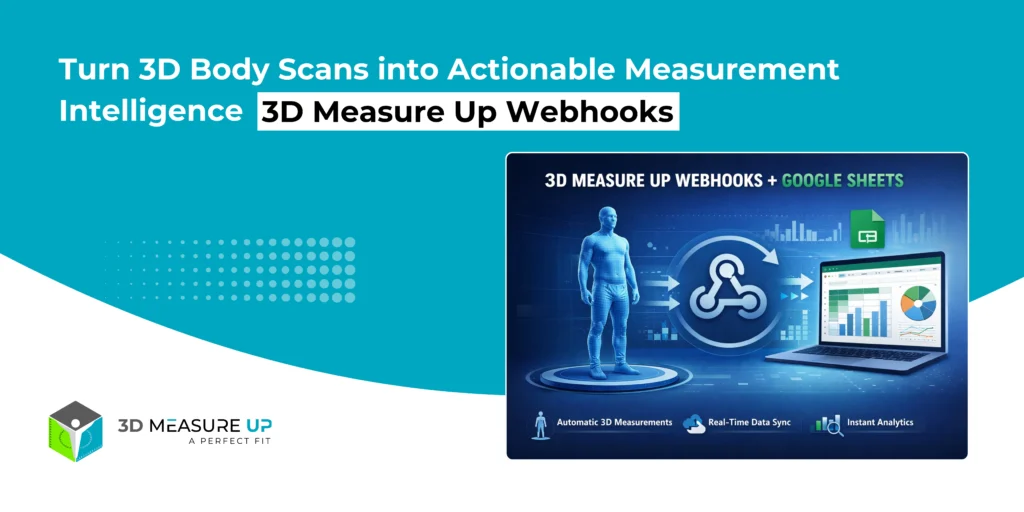
Turn 3D Body Scans into Actionable Measurement Intelligence — Instantly 3D Measure Up Webhooks: Real-World Business Workflows Using Google Sheets Capturing accurate 3D body measurements is only half the problem. The real challenge begins after the scan: How do teams access the data? How do non-technical users analyze it? How does it integrate into existing workflows without building custom software? 3D Measure Up Webhooks solve this problem instantly. With a simple webhook integration, 3D Measure Up can automatically push structured measurement data into Google Sheets, giving teams immediate visibility, analytics, and operational value without any backend development. Who Is This Integration For? This solution is designed for teams that want speed, simplicity, and insight—without infrastructure complexity. Apparel & fashion brands Retail operations teams QA & compliance teams Product & R&D analysts Healthcare & ergonomics professionals Startups and enterprises validating workflows If your team already uses Google Sheets for reporting, coordination, or analysis, this integration fits naturally into your workflow. What Business Problem Does This Solve? Most measurement systems fail after data capture. Common Challenges vs. Webhook Benefits Manual exports and CSV handling → Automatic data delivery Data trapped in proprietary systems → Open, accessible Sheets Inconsistent measurement formats → Normalized, analytics-ready structure Engineering dependency → No backend required Delayed insights → Real-time availability Result: Measurement data becomes usable the moment a scan is completed. What Happens When a Scan Completes? Each time 3D Measure Up generates measurements: A webhook event is triggered Measurement data is securely sent to your Google Apps Script endpoint Google Sheets automatically appends the data Teams can analyze, filter, and share instantly No polling. No downloads. No custom servers. Why Google Sheets? Google Sheets is more than a spreadsheet; it’s a collaboration and analytics layer. With 3D Measure Up Webhooks, Sheets becomes: A live measurement log A QA dashboard A reporting and audit tool A bridge to BI tools and ERP systems Designed for Scale: Clean, Analytics-Ready Data Instead of generating hundreds of columns per scan, 3D Measure Up follows an industry-standard tidy data approach: One row = one measurement This enables: Unlimited measurement expansion Easy pivot tables and charts Seamless BI exports Long-term maintainability This design choice is critical for real-world, scalable deployments. From 3D Scan to Measurement Intelligence End-User Applications Apparel & Fashion Centralized measurement repositories Pattern-maker-friendly exports Size consistency validation Reduced rework and returns Retail & Store Operations Store-wise measurement tracking Operator quality checks Scan volume and performance analytics Product & R&D Teams Population-level measurement analysis Sizing system validation Model and pose comparison Faster prototyping feedback loops Healthcare & Ergonomics Structured anthropometric datasets Longitudinal (before/after) tracking Easy clinician and researcher access QA, Audit & Compliance Timestamped measurement records Traceability to scan and model Exportable audit trails Reduced reliance on manual logs Why This Matters for Decision Makers This integration delivers measurable ROI: Faster insights (minutes, not weeks) Zero engineering dependency Immediate analytics Auditable and traceable data Faster rollout across teams It transforms 3D scanning from a technical capability into a business-ready system. Security & Control Built In Webhook endpoints are isolated and secure No direct access to Google Sheets is required URLs can be rotated at any time No exposure of internal systems This makes the solution suitable for both enterprise pilots and production workflows. When Should You Use a Backend Instead? Google Sheets is ideal for: Reporting Quality Assurance (QA) Analytics Prototyping Collaboration For very high data volumes, regulated environments, or long-term system-of-record storage, 3D Measure Up Webhooks can also integrate with custom backends, data lakes, BI pipelines, and ERP systems, using the same webhook mechanism. Read related: How to Integrate 3D Measure Up Webhooks with Google Sheets in Minutes Final Thoughts - The Bigger Picture 3D Measure Up Webhooks are not just an integration feature; they are an enablement layer. They allow organizations to: Start simple Prove value quickly Scale responsibly Integrate deeply when ready With 3D Measure Up Webhooks: Measurements flow automatically No backend development is required Data remains clean and scalable Teams gain immediate visibility Business value starts from day one Webhooks deliver the data. Google Sheets makes it usable. 3D Measure Up makes it valuable. If you have any questions, please contact us at 3dmeasureup@prototechsolutions.com
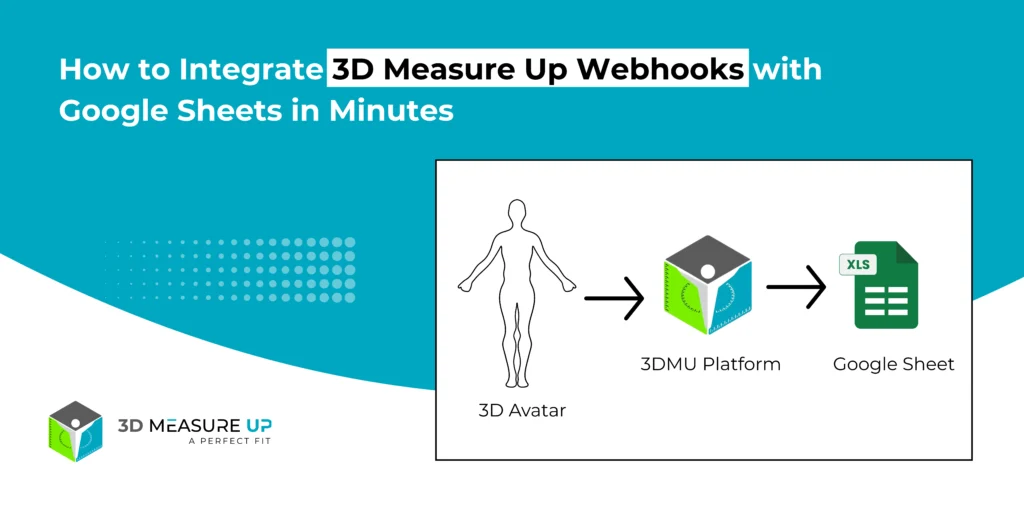
How to Integrate 3D Measure Up Webhooks with Google Sheets in Minutes
3D MeasureUp, 3DMU Webhooks, Body Measurement Application, Tech Blog, Tech News

How to Integrate 3D Measure Up Webhooks with Google Sheets in Minutes

How to Integrate 3D Measure Up Webhooks with Google Sheets in Minutes Automatically Send 3D Measurement Data to Google Sheets Store, analyze, and share 3D measurement data effortlessly using Google Sheets. Automatically push measurement results from the 3D Measure Up platform to Google Sheets with 3D Measure Up Webhooks, eliminating the need for manual exports or backend server development. This guide explains: How the Google Sheets webhook integration works How to design the sheet structure correctly How to deploy the webhook endpoint Best practices for reliable and scalable data storage What This Integration Does Once the integration is active, every measurement generated in 3D Measure Up is sent automatically to Google Sheets. Here’s what happens behind the scenes: A measurement is created in the 3D Measure Up platform A webhook event is triggered Measurement data is sent to a Google Apps Script endpoint A new row is appended to your Google Sheet How the Webhook Flow Works 3D Measure Up Platform          ↓ (Webhook Event) Google Apps Script (Web App)          ↓ Google Sheet (Rows appended automatically) This lightweight architecture makes the integration fast, scalable, and easy to maintain. Recommended Google Sheet Structure (Important) To keep your data clean and scalable, 3D Measure Up recommends a normalized structure. One Row = One Measurement Instead of creating multiple columns per scan, each measurement is stored as its own row. Header Row (Row 1) Create these columns once: Measurement Name | Measurement Type | Value | Unit | Level | Model Name Example Rows Why This Structure Works Best Scales effortlessly as the measurement volume grows Works perfectly with filters, pivot tables, and charts Easy to export to BI and reporting tools Prevents column overflow and clutter Follows industry-standard “tidy data” practices Step 1: Create the Google Sheet Open Google Sheets Create a new spreadsheet Name it something like 3D Measure Up Measurements Add the header row listed above This sheet will act as your live measurement database. Step 2: Create the Webhook Endpoint Using Google Apps Script In the Google Sheet, go to: Extensions → Apps Script Remove any existing code Paste the following script: function doPost(e) { try { if (!e.postData || !e.postData.contents) { throw new Error("Missing request body"); } const payload = JSON.parse(e.postData.contents); // Extract result const result = payload?.body?.result; if (!result) { throw new Error("Missing body.result in payload"); } const metrics = result.metrics || {}; const unit = result.measurementUnit || "Meter"; // Extract model name const rawModel = payload.file || payload.modelName || "Unknown_Model"; const modelName = extractModelName(rawModel); const today = getTodayDate(); // ✅ Final sheet name: model + date const sheetName = `${modelName}_${today}`; const ss = SpreadsheetApp.getActiveSpreadsheet(); let sheet = ss.getSheetByName(sheetName); // Create sheet if missing if (!sheet) { sheet = ss.insertSheet(sheetName); sheet.appendRow([ "Model Name", "Measurement Name", "Measurement Type", "Measurement Value", "Level", "Unit" ]); } // Helper to append rows function appendRows(items, type, valueKey) { if (!Array.isArray(items)) return; items.forEach(item => { sheet.appendRow([ modelName, // Model Name item.label || "", // Measurement Name type, // Measurement Type item[valueKey]?.[0] ?? item[valueKey] ?? "", item.level ?? "", // Level unit // Unit ]); }); } // Write metrics appendRows(metrics.girths, "Girth", "girth"); appendRows(metrics.breadth, "Breadth", "length"); appendRows(metrics.surfaceLengths, "Surface Length", "length"); appendRows(metrics.depths, "Depth", "length"); return ContentService .createTextOutput("OK") .setMimeType(ContentService.MimeType.TEXT); } catch (err) { return ContentService .createTextOutput("Error: " + err.message) .setMimeType(ContentService.MimeType.TEXT); } } function getTodayDate() { const d = new Date(); return Utilities.formatDate( d, Session.getScriptTimeZone(), "yyyy-MM-dd" ); } function extractModelName(input) { if (!input || typeof input !== "string") { return "Unknown_Model"; } // Remove query params let clean = input.split("?")[0]; // Extract filename clean = clean.substring(clean.lastIndexOf("/") + 1); // Allow only known extensions const match = clean.match(/^(.+?\.(obj|stl|glb|ply))$/i); return match ? match[1] : "Unknown_Model"; } Step 3: Deploy the Script as a Web App Click Deploy → New deployment Select: Type: Web App Execute as: Me Who has access: Anyone Click Deploy Copy the generated Web App URL Example: https://script.google.com/macros/s/AKfycbxXXXX/exec Step 4: Configure the Webhook in 3D Measure Up Log in to the 3D Measure Up Web App Go to Settings → Webhooks Paste the Google Apps Script Web App URL Save the configuration (Once saved, your webhook becomes active immediately; whenever measurements are generated, your URL will be notified automatically) What Happens After Setup Each scan triggers a webhook event Measurement data is pushed instantly One row is added per measurement Data is ready for filtering, dashboards, and sharing No additional configuration is required. Best Practices for Reliable Data Management Create the header row only once Use Google Sheets as a reporting layer, not raw storage Group-related measurements using response or model identifiers Use model names to trace measurements back to source files Build dashboards and pivot tables on top of the data Security Notes Never use the Google Sheet URL as a webhook endpoint Always use the Apps Script Web App URL Treat the webhook URL like a secret Redeploy the script to rotate URLs if needed Read Related: Turn 3D Body Scans into Actionable Measurement Intelligence Summary By integrating 3D Measure Up Webhooks with Google Sheets, you unlock a fully automated measurement pipeline: Measurements flow instantly No backend development required Data remains clean, scalable, and analyzable Ideal for reporting, QA, analytics, and collaboration Webhooks deliver the data. Google Sheets makes it usable. If you have any questions, please contact us at 3dmeasureup@prototechsolutions.com
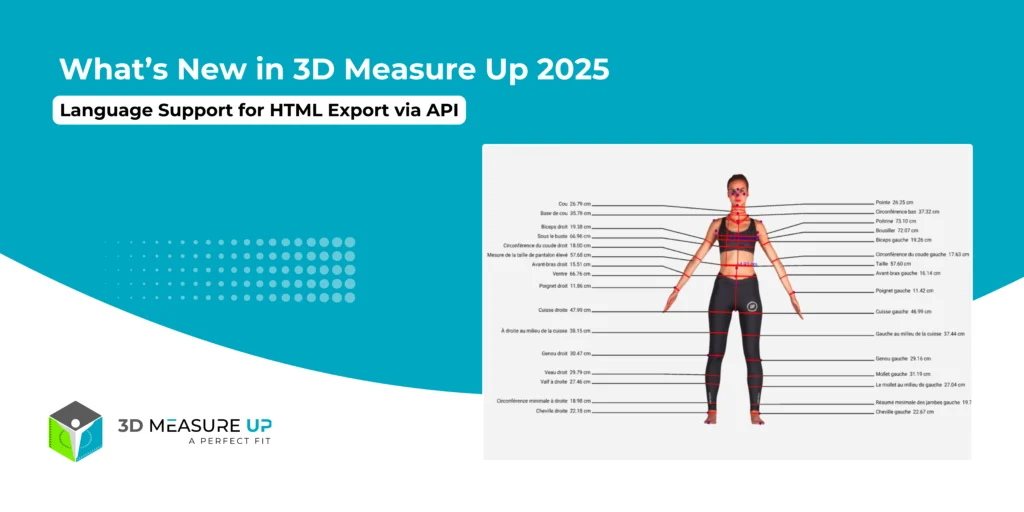
What’s New in 3D Measure Up 2025 (Version 8.10)
3D MeasureUp, Body Measurement Application, Tech Blog, Tech News

What’s New in 3D Measure Up 2025 (Version 8.10)

What’s New in 3D Measure Up 2025 (Version 8.10) The 2025 release of 3D Measure Up (Version 8.10) introduces major enhancements focused on enterprise security, deployment flexibility, and global accessibility. This update empowers organizations to run 3D Measure Up in highly controlled environments while delivering localized measurement outputs for international users. Let’s take a closer look at what’s new. 1. On-Premise VM (Virtual Machine) Edition The new On-Premise VM Edition allows organizations to deploy and run the full 3D Measure Up platform entirely within their own infrastructure. This is a game-changer for enterprises with strict security, compliance, or performance requirements. 1. Complete Data Privacy All processing, including 3D files, measurement calculations, and exports, takes place entirely inside your environment. No data is transmitted outside your secure network, ensuring full ownership and compliance with internal and regulatory policies. 2. Compute & Storage With the VM Edition, you’re in complete control of your resources: Use your own CPU and GPU Leverage your existing storage systems Apply your own network rules and access policies This flexibility makes it easy to integrate 3D Measure Up into your existing IT ecosystem. 3. Offline Operation After initial activation, 3D Measure Up can operate without continuous internet access, making it ideal for: High-security environments Air-gapped networks Enterprises with strict compliance requirements 4. Consistent & Predictable Performance Since all processing happens locally, performance is stable and predictable, independent of cloud availability or network speed. 5. Enterprise-Ready Isolation Each VM runs as an isolated environment, making the solution: Easy to deploy Easy to maintain Immune to changes in cloud infrastructure This ensures long-term reliability and operational stability. This upgrade makes 3D Measure Up more flexible, more secure, and more globally accessible than ever before. Ready to put it to work in your environment? Let’s talk! 2. Language Support for HTML Export via API To better support global teams and international users, HTML export via API now supports French and Spanish, in addition to English. When calling the API, simply specify the desired output language in the request body: "language": "French" // Supported values: "English," "Spanish," "French" This enhancement facilitates the delivery of localized measurement reports, enhancing the user experience across various regions. Want to explore the technical side or start integrating today? Learn how to use the 3D Measure Up API here: https://3dmeasureup.ai/resources/3d-measure-up-api/ Built for the Future of 3D Body Measurement With Version 8.10, 3D Measure Up continues to evolve as a robust, enterprise-ready solution for: 3D body measurements Virtual fitting and try-on Body shape analysis Personalized fashion and smart shopping experiences Whether you’re a fashion brand, technology provider, or enterprise organization, this release gives you the security, control, and scalability you need. Do you have any questions in mind? Feel free to connect with our experts by emailing us at 3dmeasureup@prototechsolutions.com or calling us at +1 (747) 297-5160 to find the perfect solutions for your business. Take our FREE trial today and learn how our AI-powered body measurement technology can boost your business revenue and customer satisfaction. Start Your FREE Trial Today
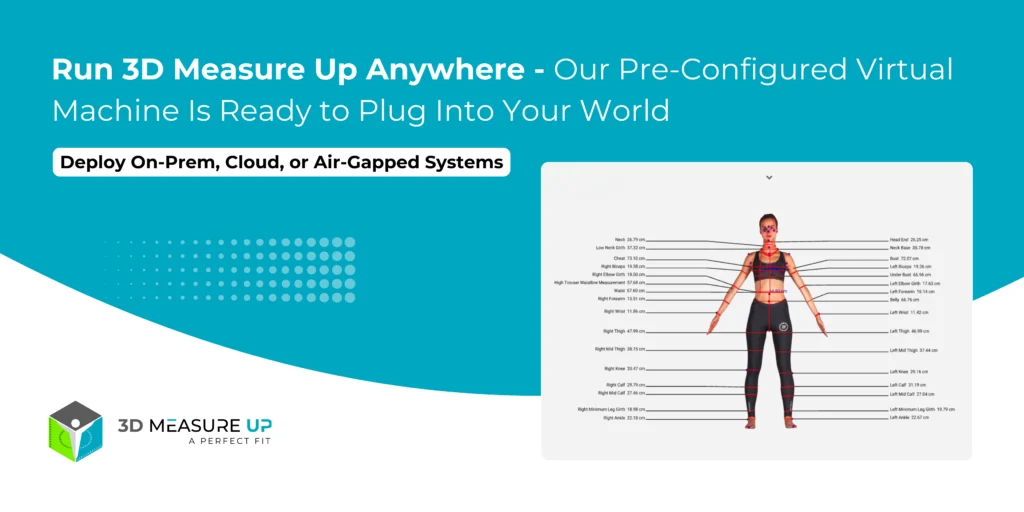
Run 3D Measure Up Anywhere Our Pre-Configured Virtual Machine Is Ready to Plug Into Your World
3D MeasureUp, Body Measurement Application, Uncategorized

Run 3D Measure Up Anywhere: Our Pre-Configured Virtual Machine Is Ready to Plug Into Your World

Run 3D Measure Up Anywhere: Our Pre-Configured Virtual Machine Is Ready to Plug Into Your World Working with 3D body scans comes with a familiar challenge — capturing the scan is easy, but turning that raw scan into stable, repeatable, and application-ready measurements is the real hurdle. That’s where 3D Measure Up excels. Now, adopting 3D Measure Up inside your workflows is easier than ever. We’ve packaged the entire measurement engine into a pre-configured Virtual Machine (VM) you can deploy anywhere: On local systems using VirtualBox or VMware In private data centers or air-gapped environments On public cloud services like AWS, Azure, or Google Cloud No more dependency headaches or complex setups. Simply import, start, and begin using your fully configured measurement engine. What Is the 3D Measure Up Virtual Machine? The 3D Measure Up VM is a self-contained Linux appliance that includes: The complete 3D Measurement Engine All required libraries and runtime dependencies Pre-configured REST APIs A secure, isolated environment Think of it as “3D Measure Up in a box” deploy it anywhere, and connect your apps directly to it. Desktop, mobile, web, and scanner software, everything integrates effortlessly. Why a VM-Based Deployment? Every industry has unique technical and compliance needs: A scanner manufacturer needs a bundled on-site solution A hospital or defense unit needs guaranteed data isolation A fashion brand wants flexible cloud scaling A research institute needs identical environments across labs The VM offers a single answer to all of them: a portable, reproducible, production-grade measurement engine that adapts to your deployment environment. Key Benefits of the 3D Measure Up VM 1. Deploy Anywhere — Local, On-Prem, or Cloud Local / On-Prem: Runs reliably via VirtualBox or VMware Ideal for clinics, boutiques, labs, and manufacturing units All data stays within your network Cloud (AWS, Azure, Google Cloud, Private Clouds): Launch as an instance image Scale vertically or horizontally Great for high-volume scanning services or global platforms 2. Lightning-Fast Time-to-Value The traditional setup involves endless installation, configuration, and troubleshooting. With the VM, deployment becomes: Import → Start → Call the API → Done Your team can instantly: Validate the 3D Measure Up Web Application Integrate via REST APIs Launch PoCs and pilots in days instead of months 3. Ideal for Sensitive & Regulated Environments For healthcare, defense, and research industries, data privacy is non-negotiable. The VM enables: Full data ownership Air-gapped deployments Compliance-friendly architecture Isolated execution environment You get SaaS-like capability with complete local control. 4. Consistent Performance at Any Scale Since we control the full software stack inside the VM, performance is Stable Predictable Tuned for high-volume processing Need more capacity? Just deploy more VM instances — scaling becomes modular. 5. Simple Integration With Any Application Stack The VM exposes a set of services/APIs compatible with: Desktop apps (C++, C#, Python, etc.) Web frameworks (Node.js, Java, .NET, Python, PHP) Mobile apps through backend services OEM scanner or CAD/CAM software You get measurement outputs like: Circumferences Lengths Girths Landmarks Metadata Use these for sizing, pattern generation, clinical workflows, analytics, or fit intelligence. 6. Perfect for OEM & Partner Integrations If your product uses 3D scans, you can bundle the VM as your measurement backend. Benefits include: Clear system boundaries Stable API-driven integration Simplified support Flexible deployment options Great for scanners, research tools, clinics, footwear, apparel, and fitness platforms. Example Use Cases Scanner Manufacturers Bundle the VM with your hardware to instantly enable measurement capabilities. Apparel & Footwear Brands Use the VM as your backbone for sizing engines in stores, apps, or online platforms. Orthotics, Prosthetics & Healthcare Keep patient data inside hospital networks while enabling automated 3D measurements. Defense & Security Deploy in high-security or classified environments without external dependencies. Universities & Research Labs Achieve consistent measurement results across distributed teams and environments. Why This Matters for Your Product Roadmap Deployment flexibility is as important as measurement accuracy. With the 3D Measure Up VM, you gain: Confidence in a reliable, tested, isolated system Freedom to deploy where your industry requires Faster integration and faster innovation Whether you are scaling a scanning platform, upgrading devices, or modernizing clinical workflows, the VM is your ready-to-deploy solution. Want to Try It? If you're ready to: Test the VM in your environment Connect it to your existing scanners Explore cloud, on-prem, or hybrid deployment options Our team can help you set up a pilot tailored to your needs. Contact Us Today 3D Measure Up Virtual Machine Your 3D measurement engine, wherever you need it to run.
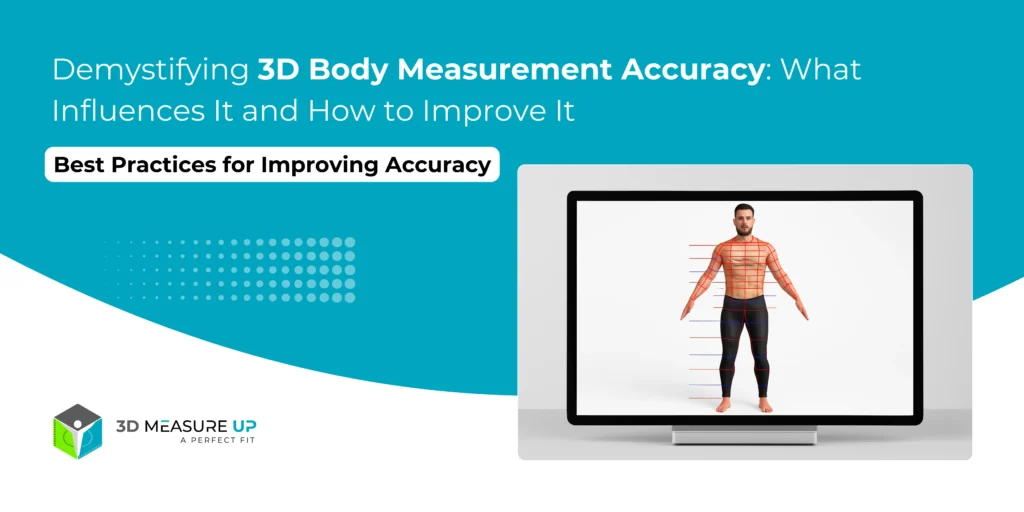
Demystifying 3D Body Measurement Accuracy What Influences It and How to Improve It
3D MeasureUp, Body Measurement Application

Demystifying 3D Body Measurement Accuracy: What Influences It and How to Improve It

Demystifying 3D Body Measurement Accuracy: What Influences It and How to Improve It Introduction When it comes to measuring the human body, precision isn’t just a nice-to-have; it’s essential. Whether you're tailoring a custom suit, building a medical device, or tracking fitness goals, even small measurement errors can throw everything off. So, what determines how accurate a 3D body scan is? And more importantly, how can you make sure you're getting reliable results every time? In this blog, we break down the key factors that impact measurement accuracy and how technologies like 3D Measure Up ensure precision at scale. What Does Accuracy Mean in 3D Body Measurement? Accuracy refers to how closely a measured value matches the "true" value of the body dimension. High accuracy: The Measurement is very close to reality. Low accuracy: Measurement deviates significantly from reality. Accuracy is critical because inaccurate measurements lead to: Poor garment fitting Incorrect medical devices (e.g., orthotics) Misleading fitness tracking Inefficient ergonomic designs Factors That Influence Measurement Accuracy 1. Scan Quality The starting point. If the 3D scan is incomplete, noisy, or distorted, even the best measurement algorithms can't produce accurate results. Common scan issues: Holes or gaps in data Surface noise (rough textures) Blurred areas due to motion during capture 2. Scanner Type and Resolution Different scanners offer different levels of precision: High-end structured light scanners capture fine details (up to 0.1 mm accuracy). Depth cameras (e.g., RealSense, iPhone LiDAR) are convenient but have slightly lower precision. Photogrammetry offers flexibility but depends heavily on technique. Higher resolution generally means higher accuracy, but also larger file sizes and processing demands. 3. Landmark Detection Algorithms Finding the correct anatomical landmarks (e.g., waist point, shoulder points) is critical. Manual landmarking is prone to human error. AI-driven landmarking (like in 3D Measure Up) ensures consistent, repeatable identification. 4. Subject Pose and Posture Posture impacts measurements significantly: Slouching reduces torso length and increases waist girth. Raised arms distort the shoulder and chest girths. Standard poses like the A-Pose or T-Pose help normalize posture across scans. 5. Environmental Factors Uneven lighting can create shadow artifacts. Reflective surfaces can confuse depth sensors. Background clutter can interfere with edge detection. 6. Operator Skill Even automated systems benefit from an attentive operator: Ensuring complete 360-degree coverage Checking real-time previews for scan quality Rescanning missing or distorted areas immediately How 3D Measure Up Maximizes Measurement Accuracy 3D Measure Up isn’t just another 3D body measurement tool, it’s built for precision at scale. Robust Preprocessing: Cleans up meshes to remove noise and fill minor gaps. AI Landmarking: Detects landmarks using machine learning models trained on thousands of body scans. Pose Normalization: Adjusts posture variations digitally to standardize measurements. Measurement Verification: Cross-validates measurements internally for consistency. Result: Measurements with repeatable precision, minimal operator dependency, and scalable to thousands of scans. Best Practices for Improving Accuracy Ensure high scan quality: Good input = good output. Use standard poses: Consistency matters. Minimize clothing interference: Tight-fitting apparel is recommended. Perform quality checks post-scan: Catch issues early. Use AI-based tools: Automate landmark detection for repeatability. Read Related: Standard Human Body Measurements by Region and Demographics Conclusion 3D body measurement accuracy isn’t rocket science, it’s a mix of good technique, smart tech, and a little bit of care. By understanding the factors that influence accuracy and by using advanced tools like 3D Measure Up, you can ensure that your body measurements are consistently reliable, whether you're working in fashion, healthcare, sports, ergonomics, or virtual reality. Ready to take your body measurement precision to the next level? Explore what 3D Measure Up can do for you today. Start your free trial today!
What's New in 3D Measure Up 2025 Version 8.2
3D MeasureUp, Body Measurement Application, Tech Blog, Tech News

What’s New in 3D Measure Up 2025: Version 8.3

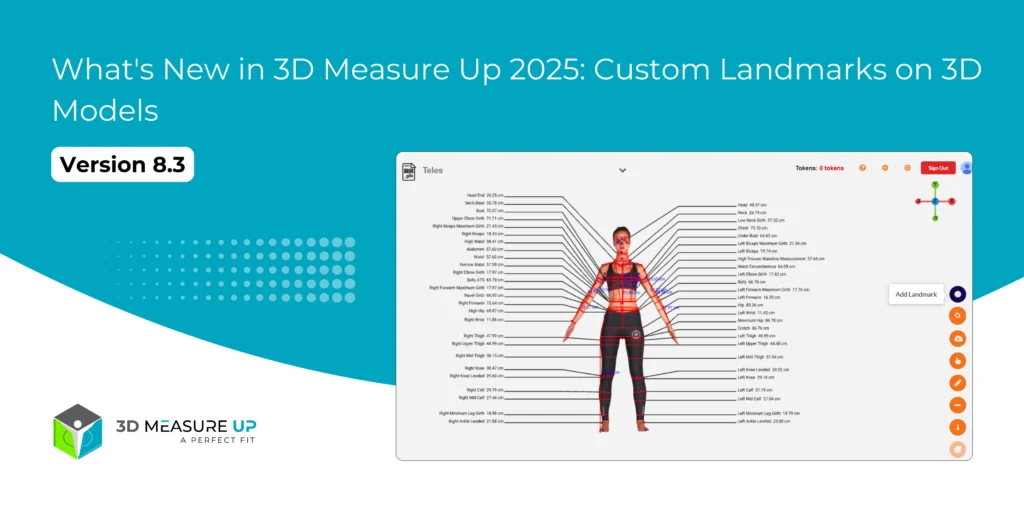
What's New in 3D Measure Up 2025: Version 8.3 In today’s fast-paced digital world, precision and flexibility are essential, especially when it comes to 3D body measurement. That’s why we’re thrilled to announce the latest update to our 3D Measure Up software, Version 8.3, released on May 2025!. Packed with smart upgrades and thoughtful enhancements, this release is designed to give users more control, improved accuracy, and a seamless experience across industries like fashion, fitness, healthcare, and digital human modeling. With Version 8.3, users can now add custom landmarks directly to their 3D models, giving them better flexibility and control over how and where measurements are taken. This is perfect for tailoring specific body features or annotations based on individual project needs. Whether you’re working in apparel design, virtual fitting, or ergonomic research, these custom landmarks make your workflow more dynamic and efficient.  Added powerful new features to make your measurement process faster, easier, and more accurate than ever. Let’s take a look at what’s fresh in this version. New Features 1. Add Custom Landmarks on 3D Models Now you have even more control! You can add custom landmarks directly on your 3D models and move them around to get better accuracy and flexibility. Whether you're measuring or just adding notes, this feature gives you full freedom. 2. Choose Your Preferred Measurement Units via API Using our API? Great news! You can now get measurements in the unit you prefer, whether it’s centimeters (cm), meters (m), millimeters (mm), or inches (in). Just set the "measurementUnit" parameter and get results your way. New Measurement Added Outer Shoulder Girth We’ve added a brand new measurement: Outer Shoulder Girth. 3DMU Measurement ID: 192 Definition: The girth around the shoulders, measured midway between the Shoulder Point and the Armpit Back Fold Point. This new measurement helps capture body proportions more completely—great for tailoring, fitness, and more! Improvements Better Thigh Girth Measurement for Obese Scans We listened to your feedback! For users working with scans of people with extreme obesity, we’ve improved the accuracy of the thigh girth calculation. No more overshooting due to fused scan areas, just reliable, precise results. Conclusion With Version 8.3, 3D Measure Up is smarter, more flexible, and even more accurate. From custom landmarks to improved API options and enhanced measurement accuracy, these updates are designed to save you time and deliver better results. Whether you’re a developer, designer, or health professional, these new features are here to make your 3D measurement work easier and more effective. We’re committed to helping you measure with confidence. This update is part of our ongoing mission to make 3D Measure Up smarter, faster, and easier to use. Stay tuned for more improvements coming soon! Have questions or feedback? Email us at 3dmeasureup@prototechsolutions.com or call us at +1 (747) 297-5160, we’d love to hear from you.
How 3D Body Measurements Are Changing the Way We Make Custom Uniforms
3D MeasureUp, Body Measurement Application, Tech Blog

How 3D Body Measurements Are Changing the Way We Make Custom Uniforms

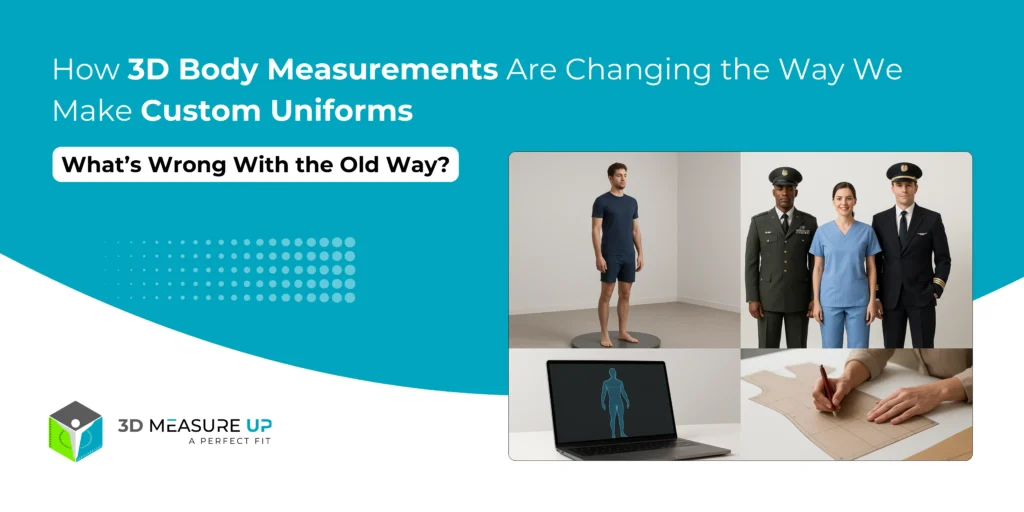
How 3D Body Measurements Are Changing the Way We Make Custom Uniforms Introduction Uniforms aren’t just clothes, they’re part of your identity. Whether you're in the military, flying a plane, helping patients, or working in hospitality, your uniform represents professionalism and safety. But here's the problem: Traditional sizing just doesn’t fit everyone. Standard sizes often feel uncomfortable, affect how well people can move, and lower confidence on the job. That’s where 3D body measurement comes in. Thanks to ProtoTech Solutions, which developed tools like 3D Measure Up, companies or industries can now create custom-fit uniforms for every person, quickly and accurately. Let’s take a look at how this new technology is changing the uniform game. What’s Wrong With the Traditional Uniform Sizing? Poor Fit: Standard size charts don’t reflect real people. Everyone’s body is different, and it shows when uniforms don't fit right. High Costs: Fixing bad fits means spending more on tailoring or remakes, especially expensive when uniforms are mass-produced. Discomfort & Poor Performance: A tight or loose uniform can make it harder to move, which affects how well people do their jobs. Safety Risks: In fields like aviation and the military, a bad fit isn't just annoying, it can be dangerous. Inventory Nightmares: Keeping stock of every possible size wastes space and money. How 3D Body Measurements Help 1. The Perfect Fit, Every Time Instead of relying on "nearest size" approximations, 3D scanning captures the exact body dimensions of each wearer, ensuring truly customized uniforms. 2. Fast & Accurate Measurements No more tape measures! Scans take just seconds and give you hundreds of accurate measurements. 3. Fewer Returns and Alterations With better first-time fits, companies save time and money on adjustments. 4. Greater Comfort and Performance When uniforms match your natural shape, you're more comfortable and can move freely, which helps you do your job better. 5. Smarter Inventory Make uniforms only when you need them, based on real measurements. No need for massive stocks of every size. Who’s Already Benefiting? Military and Defense Consistent sizing for large groups Uniforms fit better with protective gear Faster issue of gear to new recruits Aviation Tailored looks for pilots and crew More comfort during long flights Healthcare Better-fitting scrubs and PPE Reduces contamination risk with snug, secure fits Hospitality & Luxury Services Sharp-looking, personalized uniforms Boosts staff confidence and supports brand image How 3D Measure Up Makes It Easy With 3D Measure Up, companies can: Scan people remotely (no need for everyone to visit a central fitting room) Get ISO-standard measurements instantly Create custom templates for different job roles Integrate measurement data straight into manufacturing systems Result: Uniforms that feel like they were made just for you, because they were! Real Benefits in the Real World Saves Time: Cuts measurement and fitting time by over 70% Reduces Costs: Fewer returns, less tailoring Happier Teams: People feel better in uniforms that actually fit More Efficient: Smooth rollout across large teams or organizations Uniforms should help people do their best, not hold them back. 3D body measurement is helping businesses move beyond outdated sizing and offer truly personalized gear. Want uniforms that actually fit your customer? See how 3D Measure Up can bring custom sizing to your team—fast, easy, and at scale! Try it FREE today
What's New in 3D Measure Up 2025: Version 8.2
3D MeasureUp, Body Measurement Application, Tech Blog, Tech News

What’s New in 3D Measure Up 2025: Version 8.2

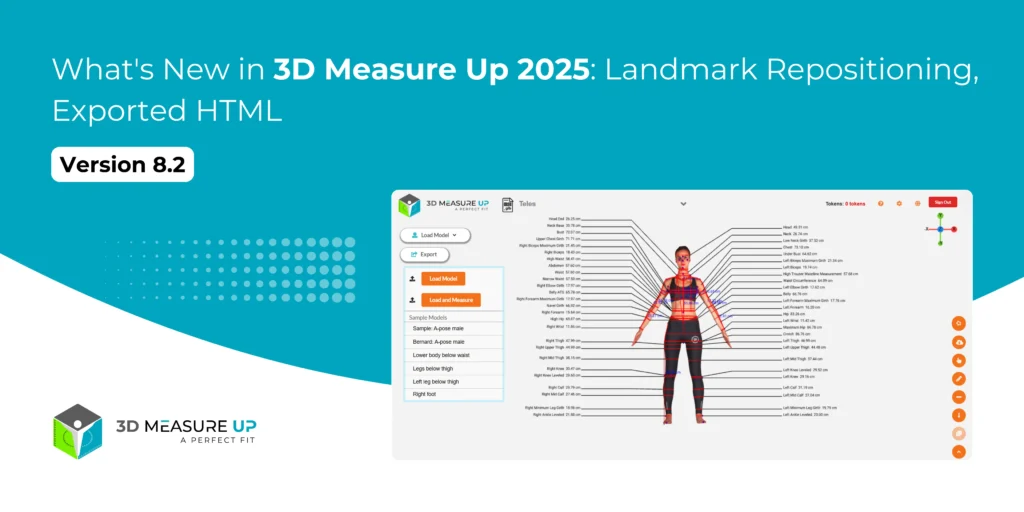
What's New in 3D Measure Up 2025: Version 8.2 We’re back with another exciting update in 3D Measure Up 2025, rolled out in April 2025. Added powerful new features to make your measurement process faster, easier, and more accurate than ever. This release brings sharper precision, smarter logic, and more control over how you interact with body measurements. Whether you're a developer, researcher, or fitness tech enthusiast, this update has something for you. Let’s take a look at what’s fresh in this version. New Features in 3D Measure Up 2025 - V8.2 Landmark Repositioning Say goodbye to fixed points! You can now reposition landmark points directly in the UI. Whether a landmark needs a slight nudge or a full relocation, you’re in control. This is especially useful when scanning in less-than-ideal conditions or when you need hyper-accurate custom points. Why it matters: This feature gives you hands-on control for cleaner, more tailored measurements. Measurement Unit Selection in Exported HTML Flexibility meets convenience! You can now choose the measurement unit displayed in your exported HTML files. Just add your preferred unit (e.g., cm, in)  to the API request like this: "viewing_unit_HTML": "cm"  // Options: cm, m, mm, in The generated HTML will reflect your selection, so your measurements are always in the format you (or your users) expect. Why it matters: Great for client reports, and seamless integration with different standards. Improvements in 3D Measure Up 2025 - V8.2 Improved Bicep Girth Detection Our measurement logic has gotten a muscle boost. By refining axis calculations across various hand positions, bicep girth is now detected more accurately, even in dynamic or non-standard poses. Why it matters: Better tracking in fitness and health applications, especially when working with live scans. Better Underbust Girth on Lean Models Lean body types sometimes slipped through the cracks with our previous underbust logic — not anymore. The update introduces smarter girth detection logic for more consistent results across different body compositions. Why it matters: Increased reliability in fashion, health, and ergonomic use cases. Overshoot Correction on Obese Models In some cases, underbust girth was being overestimated in scans of obese models. We've fixed that. The new overshoot correction logic dials back false positives for more accurate data. Why it matters: Precision matters, especially in clinical, custom apparel, or body positivity tech applications. Grow Faster with AI Body Measurement From repositionable landmarks to unit-customizable HTML exports, 3D Measure Up 2025 is all about flexibility and accuracy. And with smarter detection under the hood, this version is ready to tackle even more diverse body scanning challenges. So, if you haven’t upgraded yet, now’s the time! Version 8.2 is live, and it’s packed with tools that will make your workflow smoother and your measurements more accurate than ever. GET A FREE TRIAL TODAY Have questions or want to learn more? Visit our official site at 3D Measure Up or email us at 3dmeasureup@prototechsolutions.com and explore the future of body measurement today! Got feedback or a feature you’d love to see next? Let us know — we’re building this with you, and for you.
Understanding ISO 8559_ A Deep Dive into the Global Standard for Body Measurement
3D MeasureUp, Body Measurement Application, Tech Blog, Tutorial Blogs

Understanding ISO 8559: A Deep Dive into the Global Standard for Body Measurement

Understanding ISO 8559: A Deep Dive into the Global Standard for Body Measurement In a world where precise human body measurements are critical, whether for apparel sizing, ergonomic design, or healthcare, having a global standard ensures consistency and comparability.  In today’s global fashion market, clothing sizes can be notoriously inconsistent. A medium in one brand might feel like a small in another. These inconsistencies create frustration for consumers and complications for retailers, especially in online shopping. That’s where ISO 8559 comes into play. In this blog, we explore what ISO 8559 is, why it matters, how it defines body measurements, and how platforms like 3D Measure Up are helping organizations align with it. What is ISO 8559? ISO 8559, developed by the International Organization for Standardization (ISO), is a series of international standards that define how clothing sizes should be designated based on body measurements. Its goal is to create a universal system for sizing that can be used by manufacturers and retailers around the world. Rather than relying on arbitrary labels like “S”, “M”, or “L”, ISO 8559 promotes a size system rooted in measurable human dimensions. This makes it easier to design, manufacture, and sell clothes that truly fit. ISO 8559 ensures that when you refer to "waist girth" or "hip girth," everyone tailors, fashion brands, researchers, and healthcare providers- understands and measures it the same way. Versions of ISO 8559 1. ISO 8559-1:2017 Defines anthropometric measurements for the creation of clothing. Specifies 3D body measurement techniques in addition to manual ones. Lists primary and secondary body dimensions for garment sizing. 2. ISO 8559-2:2017 Focuses on primary dimensions for men's, women's, and children's clothing sizes. Helps develop size tables based on population-specific measurements. Other Related Standards: ISO 7250 (basic human body measurements for technological design) ISO 20685 (3D scanning methods for anthropometric data) Key Measurement Categories in ISO 8559 ISO 8559 organizes measurements into groups: Vertical body measurements: Height, sitting height, shoulder height, crotch height Girth measurements: Chest girth, waist girth, hip girth, thigh girth, neck girth Length measurements: Arm length, inseam length, shoulder length Breadth measurements: Shoulder breadth, chest breadth, waist breadth Depth measurements: Chest depth, waist depth Each measurement has a precise definition, reference points, and methodology. Applications Used by apparel manufacturers, retailers, and pattern designers. Helps with international trade and e-commerce clothing fit prediction. Supports the development of digital fitting technologies and virtual try-ons. Why ISO 8559 Matters 1. Standardization Across Industries Ensures that designers, manufacturers, healthcare providers, and researchers use consistent measurement language. 2. Better Global Fit Systems Supports the creation of clothing and equipment that fits people across different populations. 3. Facilitates Mass Customization In an era of personalized products, standardized measurements allow automated systems to adapt patterns efficiently. 4. Enhances Data Comparability Researchers and companies can compare datasets reliably across regions, surveys, and studies. How 3D Measure Up Aligns with ISO 8559 3D Measure Up is designed with ISO 8559 compliance in mind: Extracts standardized measurements mapped to ISO definitions. Provides clear documentation of measurement points. Supports both traditional and 3D scanning workflows. Enables automatic size mapping for clothing, uniforms, and equipment. By aligning your measurement processes with ISO 8559 through tools like 3D Measure Up, you gain: Higher credibility Greater interoperability across platforms Future-proof sizing systems Real-World Applications of ISO 8559 Apparel Brands: Consistent size charts across international markets. Defense and Uniform Suppliers: Standardized fits for personnel across regions. Healthcare: Reliable anthropometric data for prosthetics, orthotics, and patient care. Furniture and Ergonomic Equipment Designers: Designing for diverse body types globally. Final Thoughts As the fashion industry becomes more data-driven and customer-centric, embracing standards like ISO 8559 is not just a technical improvement—it’s a strategic move. Whether you’re a designer, manufacturer, or e-commerce brand, aligning with this standard can help you deliver a more consistent, inclusive, and satisfying customer experience. ISO 8559 isn’t just a bureaucratic standard, it's the backbone of consistent, reliable, global human body measurement. By understanding and applying ISO 8559 guidelines and using platforms like 3D Measure Up to automate compliance, you can future-proof your designs, improve fit quality, and streamline manufacturing. Need help implementing ISO 8559 in your sizing strategy? Explore 3D Measure Up's ISO-aligned solutions to guide your brand in aligning size charts with international best practices. Read Relevant: Top 10 Measurements Every Tailor Should Capture for a Perfect Fit to blend tradition with technology!
Top 10 Measurements Every Tailor Should Capture for a Perfect Fit
3D MeasureUp, Body Measurement Application, Tech Blog

Top 10 Measurements Every Tailor Should Capture for a Perfect Fit

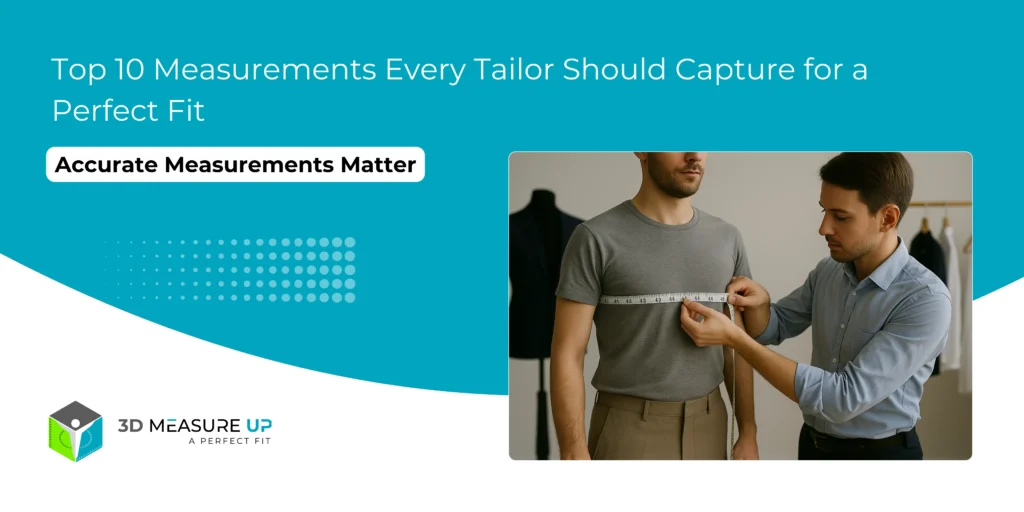
Top 10 Measurements Every Tailor Should Capture for a Perfect Fit Getting the perfect fit isn’t just about good sewing or picking the right fabric; it all starts with accurate body measurements. Whether it’s a custom suit, a wedding dress, or a uniform, tailors need the right measurements to make clothes that fit well and feel great. In this blog, we’ll walk you through the top 10 body measurements every tailor should know. We’ll also show you how smart tools like 3D Measure Up make the job faster, easier, and more accurate, helping tailors save time, avoid mistakes, and keep customers happy. Why Accurate Body Measurements Matter Even minor errors in body measurement can cause: Poor garment drape Uncomfortable fit Increased alteration costs Customer dissatisfaction Capturing the right measurements and capturing them correctly is the foundation of tailoring excellence. The Top 10 Critical Tailoring Measurements 1. Chest Girth Where to measure: Around the fullest part of the chest, usually just under the armpits, and across the shoulder blades. Why it's important: Key for fitting jackets, shirts, blazers, and dresses. 2. Waist Girth Where to measure: Around the natural waistline—typically the narrowest part of the torso. Why it's important: Essential for shaping trousers, skirts, and dresses. 3. Hip Girth Where to measure: Around the fullest part of the hips and buttocks. Why it's important: Critical for pants, skirts, dresses, and tailored coats. 4. Shoulder Width (Breadth) Where to measure: Across the back from the tip of one shoulder bone to the other. Why it's important: Determines jacket shoulder fit and sleeve setting. 5. Sleeve Length Where to measure: From the shoulder point down along the arm to the wrist bone, with the arm slightly bent. Why it's important: Ensures sleeves are neither too short nor too long. 6. Neck Circumference Where to measure: Around the base of the neck where a collar would sit. Why it's important: Crucial for shirt collars and some formal dresses. 7. Inseam Length Where to measure: From the crotch point down to the bottom of the ankle along the inside leg. Why it's important: Essential for trousers and jeans fit. 8. Outseam Length Where to measure: From the natural waistline to the ankle, down the side of the leg. Why it's important: Used for pants, skirts, and dresses. 9. Back Length Where to measure: From the prominent bone at the base of the neck (C7 vertebra) down to the natural waist. Why it's important: Important for jacket and dress torso fitting. 10. Thigh Girth Where to measure: Around the fullest part of the upper thigh. Why it's important: Ensures proper fitting of trousers, shorts, and sportswear. Bonus Measurements That Add Precision Wrist circumference Ankle circumference Armhole depth Bust point to bust point distance Knee girth (for fitted trousers) How 3D Measure Up Simplifies Tailoring Measurements Every great garment starts with great measurements. By mastering these Top 10 essential measurements and embracing digital AI-Powered software like 3D Measure Up, tailors can deliver unmatched precision and personalization, time after time. With 3D Measure Up, you can: Automatically extract over 150+ measurements from a 3D scan. Eliminate manual errors and variability. Capture additional measurements like surface lengths and volumetric dimensions. Save and reuse measurement data for future fittings. The result? Faster, more accurate fittings and happier clients. ProtoTech’s 3D Measure Up AI-powered 3D body measurement software delivers unmatched precision by capturing over 250 body landmarks, ensuring a perfect fit, enhancing customer experience, reducing return rates, and boosting sales. Ready to enhance your tailoring process? Get a FREE TRIAL today to transform your workflow!
Scroll to Top