3D Body Measurement

Turn 3D Body Scans into Actionable Measurement Intelligence — Instantly
3D MeasureUp, 3DMU Webhooks, Body Measurement Application, Tech News

Turn 3D Body Scans into Actionable Measurement Intelligence — Instantly

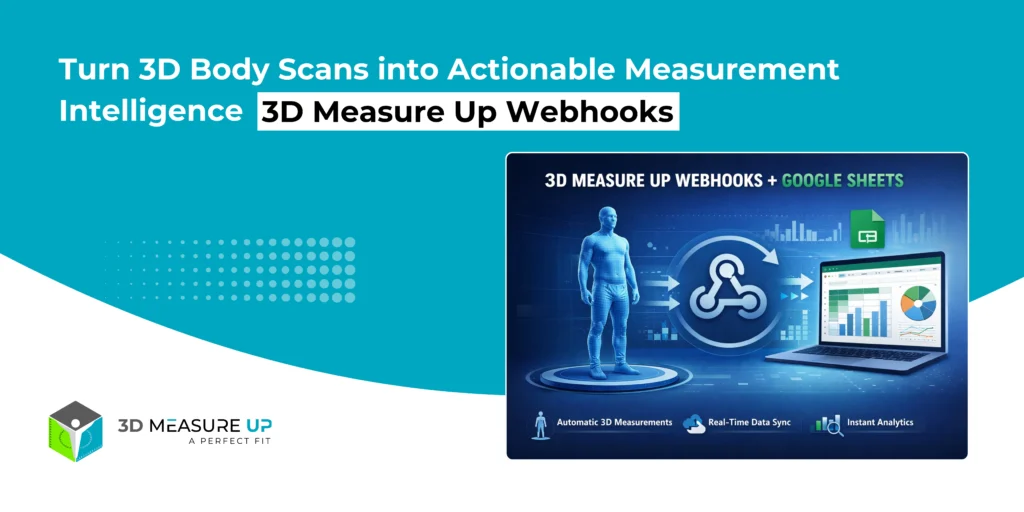
Turn 3D Body Scans into Actionable Measurement Intelligence — Instantly 3D Measure Up Webhooks: Real-World Business Workflows Using Google Sheets Capturing accurate 3D body measurements is only half the problem. The real challenge begins after the scan: How do teams access the data? How do non-technical users analyze it? How does it integrate into existing workflows without building custom software? 3D Measure Up Webhooks solve this problem instantly. With a simple webhook integration, 3D Measure Up can automatically push structured measurement data into Google Sheets, giving teams immediate visibility, analytics, and operational value without any backend development. Who Is This Integration For? This solution is designed for teams that want speed, simplicity, and insight—without infrastructure complexity. Apparel & fashion brands Retail operations teams QA & compliance teams Product & R&D analysts Healthcare & ergonomics professionals Startups and enterprises validating workflows If your team already uses Google Sheets for reporting, coordination, or analysis, this integration fits naturally into your workflow. What Business Problem Does This Solve? Most measurement systems fail after data capture. Common Challenges vs. Webhook Benefits Manual exports and CSV handling → Automatic data delivery Data trapped in proprietary systems → Open, accessible Sheets Inconsistent measurement formats → Normalized, analytics-ready structure Engineering dependency → No backend required Delayed insights → Real-time availability Result: Measurement data becomes usable the moment a scan is completed. What Happens When a Scan Completes? Each time 3D Measure Up generates measurements: A webhook event is triggered Measurement data is securely sent to your Google Apps Script endpoint Google Sheets automatically appends the data Teams can analyze, filter, and share instantly No polling. No downloads. No custom servers. Why Google Sheets? Google Sheets is more than a spreadsheet; it’s a collaboration and analytics layer. With 3D Measure Up Webhooks, Sheets becomes: A live measurement log A QA dashboard A reporting and audit tool A bridge to BI tools and ERP systems Designed for Scale: Clean, Analytics-Ready Data Instead of generating hundreds of columns per scan, 3D Measure Up follows an industry-standard tidy data approach: One row = one measurement This enables: Unlimited measurement expansion Easy pivot tables and charts Seamless BI exports Long-term maintainability This design choice is critical for real-world, scalable deployments. From 3D Scan to Measurement Intelligence End-User Applications Apparel & Fashion Centralized measurement repositories Pattern-maker-friendly exports Size consistency validation Reduced rework and returns Retail & Store Operations Store-wise measurement tracking Operator quality checks Scan volume and performance analytics Product & R&D Teams Population-level measurement analysis Sizing system validation Model and pose comparison Faster prototyping feedback loops Healthcare & Ergonomics Structured anthropometric datasets Longitudinal (before/after) tracking Easy clinician and researcher access QA, Audit & Compliance Timestamped measurement records Traceability to scan and model Exportable audit trails Reduced reliance on manual logs Why This Matters for Decision Makers This integration delivers measurable ROI: Faster insights (minutes, not weeks) Zero engineering dependency Immediate analytics Auditable and traceable data Faster rollout across teams It transforms 3D scanning from a technical capability into a business-ready system. Security & Control Built In Webhook endpoints are isolated and secure No direct access to Google Sheets is required URLs can be rotated at any time No exposure of internal systems This makes the solution suitable for both enterprise pilots and production workflows. When Should You Use a Backend Instead? Google Sheets is ideal for: Reporting Quality Assurance (QA) Analytics Prototyping Collaboration For very high data volumes, regulated environments, or long-term system-of-record storage, 3D Measure Up Webhooks can also integrate with custom backends, data lakes, BI pipelines, and ERP systems, using the same webhook mechanism. Read related: How to Integrate 3D Measure Up Webhooks with Google Sheets in Minutes Final Thoughts - The Bigger Picture 3D Measure Up Webhooks are not just an integration feature; they are an enablement layer. They allow organizations to: Start simple Prove value quickly Scale responsibly Integrate deeply when ready With 3D Measure Up Webhooks: Measurements flow automatically No backend development is required Data remains clean and scalable Teams gain immediate visibility Business value starts from day one Webhooks deliver the data. Google Sheets makes it usable. 3D Measure Up makes it valuable. If you have any questions, please contact us at 3dmeasureup@prototechsolutions.com
Run 3D Measure Up Anywhere Our Pre-Configured Virtual Machine Is Ready to Plug Into Your World
3D MeasureUp, Body Measurement Application, Uncategorized

Run 3D Measure Up Anywhere: Our Pre-Configured Virtual Machine Is Ready to Plug Into Your World

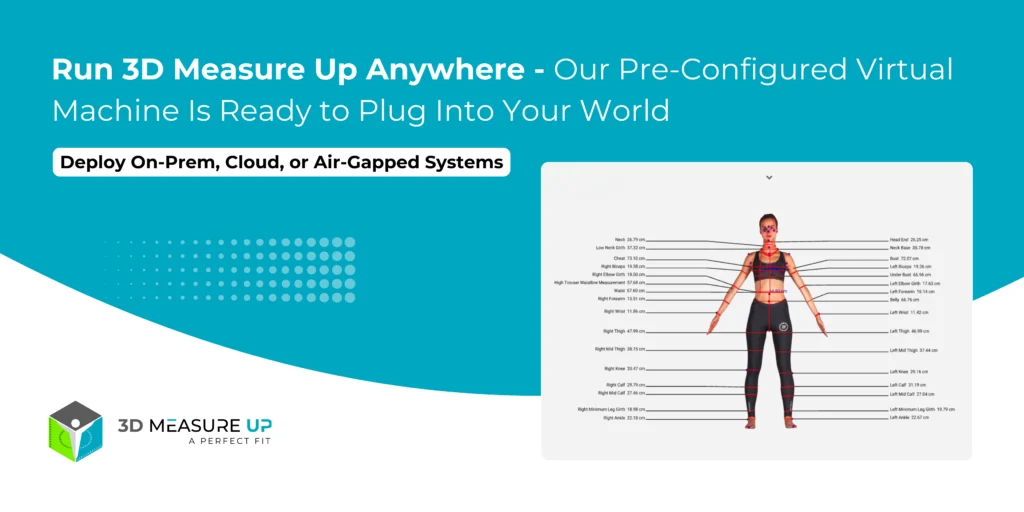
Run 3D Measure Up Anywhere: Our Pre-Configured Virtual Machine Is Ready to Plug Into Your World Working with 3D body scans comes with a familiar challenge — capturing the scan is easy, but turning that raw scan into stable, repeatable, and application-ready measurements is the real hurdle. That’s where 3D Measure Up excels. Now, adopting 3D Measure Up inside your workflows is easier than ever. We’ve packaged the entire measurement engine into a pre-configured Virtual Machine (VM) you can deploy anywhere: On local systems using VirtualBox or VMware In private data centers or air-gapped environments On public cloud services like AWS, Azure, or Google Cloud No more dependency headaches or complex setups. Simply import, start, and begin using your fully configured measurement engine. What Is the 3D Measure Up Virtual Machine? The 3D Measure Up VM is a self-contained Linux appliance that includes: The complete 3D Measurement Engine All required libraries and runtime dependencies Pre-configured REST APIs A secure, isolated environment Think of it as “3D Measure Up in a box” deploy it anywhere, and connect your apps directly to it. Desktop, mobile, web, and scanner software, everything integrates effortlessly. Why a VM-Based Deployment? Every industry has unique technical and compliance needs: A scanner manufacturer needs a bundled on-site solution A hospital or defense unit needs guaranteed data isolation A fashion brand wants flexible cloud scaling A research institute needs identical environments across labs The VM offers a single answer to all of them: a portable, reproducible, production-grade measurement engine that adapts to your deployment environment. Key Benefits of the 3D Measure Up VM 1. Deploy Anywhere — Local, On-Prem, or Cloud Local / On-Prem: Runs reliably via VirtualBox or VMware Ideal for clinics, boutiques, labs, and manufacturing units All data stays within your network Cloud (AWS, Azure, Google Cloud, Private Clouds): Launch as an instance image Scale vertically or horizontally Great for high-volume scanning services or global platforms 2. Lightning-Fast Time-to-Value The traditional setup involves endless installation, configuration, and troubleshooting. With the VM, deployment becomes: Import → Start → Call the API → Done Your team can instantly: Validate the 3D Measure Up Web Application Integrate via REST APIs Launch PoCs and pilots in days instead of months 3. Ideal for Sensitive & Regulated Environments For healthcare, defense, and research industries, data privacy is non-negotiable. The VM enables: Full data ownership Air-gapped deployments Compliance-friendly architecture Isolated execution environment You get SaaS-like capability with complete local control. 4. Consistent Performance at Any Scale Since we control the full software stack inside the VM, performance is Stable Predictable Tuned for high-volume processing Need more capacity? Just deploy more VM instances — scaling becomes modular. 5. Simple Integration With Any Application Stack The VM exposes a set of services/APIs compatible with: Desktop apps (C++, C#, Python, etc.) Web frameworks (Node.js, Java, .NET, Python, PHP) Mobile apps through backend services OEM scanner or CAD/CAM software You get measurement outputs like: Circumferences Lengths Girths Landmarks Metadata Use these for sizing, pattern generation, clinical workflows, analytics, or fit intelligence. 6. Perfect for OEM & Partner Integrations If your product uses 3D scans, you can bundle the VM as your measurement backend. Benefits include: Clear system boundaries Stable API-driven integration Simplified support Flexible deployment options Great for scanners, research tools, clinics, footwear, apparel, and fitness platforms. Example Use Cases Scanner Manufacturers Bundle the VM with your hardware to instantly enable measurement capabilities. Apparel & Footwear Brands Use the VM as your backbone for sizing engines in stores, apps, or online platforms. Orthotics, Prosthetics & Healthcare Keep patient data inside hospital networks while enabling automated 3D measurements. Defense & Security Deploy in high-security or classified environments without external dependencies. Universities & Research Labs Achieve consistent measurement results across distributed teams and environments. Why This Matters for Your Product Roadmap Deployment flexibility is as important as measurement accuracy. With the 3D Measure Up VM, you gain: Confidence in a reliable, tested, isolated system Freedom to deploy where your industry requires Faster integration and faster innovation Whether you are scaling a scanning platform, upgrading devices, or modernizing clinical workflows, the VM is your ready-to-deploy solution. Want to Try It? If you're ready to: Test the VM in your environment Connect it to your existing scanners Explore cloud, on-prem, or hybrid deployment options Our team can help you set up a pilot tailored to your needs. Contact Us Today 3D Measure Up Virtual Machine Your 3D measurement engine, wherever you need it to run.
Comparison of 3D Body Measurement Tools
3D MeasureUp, Tech Blog, Tech News, Tutorial Blogs

Comparison of 3D Body Measurement Extraction Tools

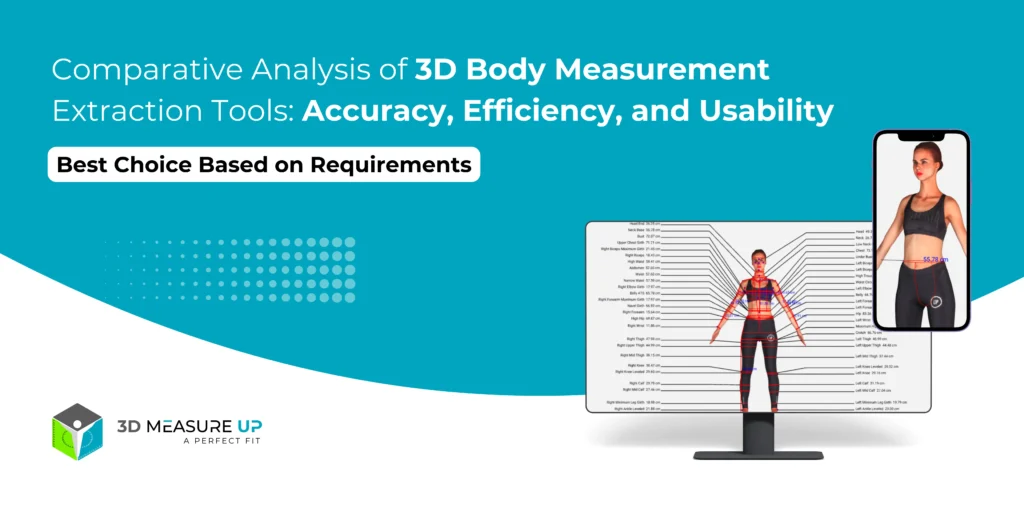
Comparison of 3D Body Measurement Extraction Tools Extracting accurate human body measurements from 3D scans is crucial for various industries, such as fashion, healthcare, fitness, and engineering. This report compares different tools based on their accuracy, reliability, ease of use, export capabilities, and supported measurement types. Each tool has unique strengths depending on the intended application, making them versatile solutions across industries. 1. Feature Comparison Table Software Accuracy Reliability Ease of Use Export Capabilities Measurement Types Geomagic Control X (Paid) ⭐⭐⭐⭐⭐ ±0.01mm-0.1mm ⭐⭐⭐⭐⭐ (Industrial-grade) ⭐⭐⭐ (Steep learning curve) OBJ, STL, IGES, STEP, CSV, PDF, DXF Point-to-point, circumferences, volume, angles, surface area, GD&T Artec Studio (Paid) ⭐⭐⭐⭐ ±0.05mm-0.1mm ⭐⭐⭐⭐⭐ (Stable with Artec scanners) ⭐⭐⭐⭐ (User-friendly for Artec users) OBJ, PLY, STL, WRL, CSV, DXF Landmark-based circumferences, length, cross-sections 3D Measure Up (Paid) ⭐⭐⭐ ±1mm-3mm ⭐⭐⭐⭐ (AI-based, automated) ⭐⭐⭐⭐⭐ (Easiest, fully automated) CSV, JSON, API for integration 150+ body measurements, circumferences, segment-wise dimensions Blender + Python (Trimesh/Open3D) (Free) ⭐⭐⭐⭐ (Customizable) ⭐⭐⭐ (Depends on script quality) ⭐⭐ (Requires coding) OBJ, PLY, STL, custom CSV exports Custom (any measurement can be scripted) MeshLab / Meshmixer (Free) ⭐⭐⭐ ±1mm-5mm ⭐⭐⭐ (Good for basic use) ⭐⭐⭐⭐ (Easy but manual) OBJ, PLY, STL, DXF Basic distance, circumference, angles 2. Detailed Feature Breakdown 1. Accuracy & Reliability Geomagic Control X → Most accurate (sub-mm precision). Best for medical, CAD, and engineering fields. Artec Studio → Very reliable but only for Artec scanner users. 3D Measure Up → Great for automated fashion/retail applications but not as precise. Blender + Python → Customizable accuracy (depends on scripting & scan quality). 2. Ease of Use Easiest: 3D Measure Up (Automated AI, no manual work). Moderate: Meshmixer/MeshLab (Simple UI but manual). Hardest: Blender + Python (Coding required). 3. Export Capabilities Best Export Support → Geomagic Control X & Artec Studio Supports CAD formats (IGES, STEP, DXF) PDF & CSV reports for documentation OBJ, STL, PLY for 3D modeling Basic Exports → 3D Measure Up, Blender, MeshLab CSV & JSON (for data-driven use) OBJ, STL (for 3D visualization) 4. Types of Measurements Available Most Comprehensive → 3D Measure Up (150+ measurements) Full-body (circumference, height, width, segment length) Automated key point detection Most Precise Industrial Use → Geomagic Control X Volume, cross-sections, surface areas GD&T (Geometric Dimensioning & Tolerancing) Fully Customizable → Blender + Python (Trimesh/Open3D) Any measurement possible (if scripted) Fully Customizable → Blender + Python (Trimesh/Open3D) Any measurement possible (if scripted) 3. Best Choice Based on Requirements Need This? Best Software Highest Accuracy (Sub-mm Precision) Geomagic Control X Best AI-based, Fastest Automation 3D Measure Up Best for Artec Scanner Users Artec Studio Custom Workflow, Free/Open-Source Blender + Python Basic, Manual, Free Tool MeshLab / Meshmixer Summary of Findings Choosing the best 3D body measurement extraction tool depends on your requirements for accuracy, automation, and ease of use: For the highest precision (engineering/medical use): Geomagic Control X For fast, automated, AI-driven measurements: 3D Measure Up For custom scripting & flexibility: Blender + Python (Trimesh/Open3D) For Artec scanner users: Artec Studio For simple, free manual measurements: MeshLab / Meshmixer If you need further guidance based on specific use cases, feel free to connect with our experts! Visit our website www.3dmeasureup.ai, email us at 3dmeasureup@prototechsolutions.com, or call us at +1 (747) 297-5160
Scroll to Top